
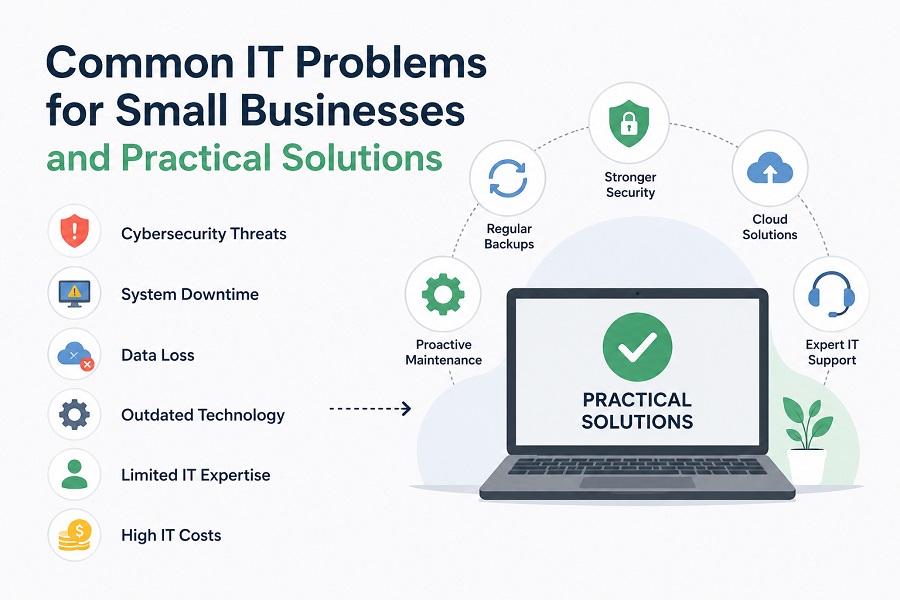
In today’s digital-first business environment, technology is no longer optional—it’s essential for growth, efficiency, and customer satisfaction. Small businesses, however, often face unique IT challenges that larger organizations can more easily absorb. Limited budgets, evolving cybersecurity threats, aging infrastructure, and a lack of dedicated IT expertise can make managing technology overwhelming.
Fortunately, these obstacles are not impossible to overcome. With the right strategy, proactive planning, and reliable it support for small business, companies can strengthen their operations, improve productivity, and reduce costly downtime.
Why IT Matters More Than Ever
Technology powers nearly every aspect of a modern business. From communication and data storage to customer service and financial management, dependable IT systems keep operations running smoothly.
When technology fails, businesses may experience:
- Lost productivity
- Revenue disruption
- Security breaches
- Customer dissatisfaction
- Compliance issues
Rather than waiting until problems arise, small businesses benefit from investing in proactive IT management that minimizes risks before they become expensive emergencies.
1. Cybersecurity Threats Continue to Grow
Cybercriminals increasingly target small businesses because they often have fewer security protections than large enterprises. Following cybersecurity best practices can help organizations strengthen their defenses against evolving threats. Malware, ransomware, phishing emails, and data breaches can cause significant financial and reputational damage.
How to Overcome It
A strong cybersecurity strategy should include:
- Multi-factor authentication (MFA)
- Regular software updates
- Endpoint protection
- Employee cybersecurity awareness training
- Secure password policies
- Continuous network monitoring
Businesses should also create an incident response plan so employees know exactly what to do if a cyberattack occurs.
2. Limited IT Budgets
Many small businesses struggle to balance technology investments with other operational expenses. Hiring an in-house IT department can be costly, making it difficult to access experienced technical professionals.
How to Overcome It
Instead of maintaining a full internal IT team, many organizations choose outsourced it support for small business to receive enterprise-level expertise at a predictable monthly cost.
This approach allows companies to:
- Reduce unexpected repair expenses
- Access experienced IT professionals
- Improve technology planning
- Scale services as the business grows
A managed IT approach often proves more cost-effective than paying for emergency repairs after problems occur.
3. Outdated Hardware and Software
Many businesses continue using aging computers, servers, or unsupported software because replacing them seems expensive. Unfortunately, outdated systems create security vulnerabilities and reduce productivity.
Older technology often results in:
- Slow performance
- Compatibility issues
- Increased downtime
- Greater security risks
- Higher maintenance costs
How to Overcome It
Create a technology lifecycle plan that schedules equipment replacements before systems become obsolete. Cloud-based applications and virtualization can also reduce hardware costs while improving flexibility.
Regular technology assessments help identify systems that need upgrading before they fail unexpectedly.
4. Data Backup and Disaster Recovery
Data loss can happen because of ransomware, hardware failure, accidental deletion, natural disasters, or human error. Without reliable backups, recovering critical business information can be nearly impossible.
How to Overcome It
Every business should implement a comprehensive backup strategy that includes:
- Automated daily backups
- Encrypted cloud storage
- Offsite backup copies
- Routine recovery testing
- Disaster recovery planning
A tested recovery process ensures business operations can resume quickly after unexpected disruptions.
5. Downtime Reduces Productivity
Even a few hours of IT downtime can disrupt customer service, delay projects, and reduce employee productivity.
Common causes include:
- Server failures
- Internet outages
- Hardware problems
- Software conflicts
- Network failures
How to Overcome It
Preventive maintenance significantly reduces downtime by identifying issues before they become critical.
Proactive monitoring can detect:
- Storage capacity problems
- Network bottlenecks
- Hardware degradation
- Security threats
- Performance issues
Continuous monitoring allows problems to be resolved quickly—often before employees even notice them.
6. Cloud Migration Challenges
Cloud technology offers flexibility, remote access, and cost savings, but moving existing systems to the cloud isn’t always straightforward.
Businesses may face:
- Data migration issues
- Application compatibility concerns
- Security configuration challenges
- User adoption difficulties
How to Overcome It
Develop a clear migration roadmap before moving applications or data. Prioritize business-critical systems and ensure employees receive adequate training on new cloud platforms.
A phased migration minimizes disruption while allowing time to address unexpected issues.
7. Supporting Remote and Hybrid Work
Remote work has become a permanent part of many businesses. Employees need secure access to business applications regardless of location.
Without proper infrastructure, organizations risk:
- Unsecured connections
- File-sharing problems
- Communication breakdowns
- Reduced productivity
How to Overcome It
Remote work environments should include:
- Virtual Private Networks (VPNs)
- Multi-factor authentication
- Secure collaboration tools
- Mobile device management
- Cloud-based productivity platforms
These technologies allow employees to work efficiently while maintaining strong security.
8. Compliance and Data Protection
Many industries must comply with regulations regarding customer information, financial records, or healthcare data.
Failing to meet compliance standards may result in:
- Financial penalties
- Legal consequences
- Damaged customer trust
How to Overcome It
Businesses should regularly review their IT policies, perform security assessments, and maintain proper documentation of their security practices.
Working with experienced it support for small business providers can help organizations stay aligned with changing compliance requirements while reducing administrative burdens.
The Benefits of Proactive IT Support
Rather than reacting to technical issues after they occur, proactive IT management focuses on preventing problems through ongoing maintenance, monitoring, and strategic planning.
Key benefits include:
- Improved cybersecurity
- Reduced downtime
- Better employee productivity
- Predictable IT costs
- Faster issue resolution
- Long-term technology planning
- Business continuity
This proactive approach allows business owners to focus on serving customers instead of worrying about technology failures.
Choosing the Right IT Partner
Selecting the right technology partner is just as important as choosing the right business software.
Look for a provider that offers:
- 24/7 system monitoring
- Cybersecurity expertise
- Cloud services
- Data backup and disaster recovery
- Help desk support
- Strategic IT consulting
- Scalable solutions
An experienced IT partner understands that every small business has unique technology needs and provides customized solutions that align with business goals.
Final Thoughts
Technology should empower small businesses—not create unnecessary stress. While cybersecurity threats, limited budgets, outdated systems, and operational downtime remain common challenges, each can be addressed with proactive planning and expert guidance.
Investing in reliable it support for small business helps organizations reduce risk, improve operational efficiency, and prepare for future growth. Instead of reacting to problems after they occur, businesses can adopt a proactive IT strategy that strengthens security, enhances productivity, and ensures technology continues to support long-term success.
